DockBot AI Loading Dock Verification
Your AI Supervisor at the Loading Dock
Stop inventory leakage Today
The problem
Why Loading Docks Are Your Blind Spot
Wrong Items Shipped
Inventory mismatches damage customer relationships
Short or Excess Dispatches
Billing disputes and lost revenue opportunities mount daily
Inconsistent Manual Checks
Human errors multiply under time pressure and fatigue
Disputes & Penalties
No proof, no accountability, and customer distrust grows
Most inventory leakage doesn't look like theft — it's small daily mistakes that silently add up to crores per year.
How it works
How DockBot Works
Three simple steps to prevent errors before they become costly problems
Real-Time Scan
AI-powered camera scans each item as it moves on the conveyor with precision and speed
Instant Verification
Automatically matches items against invoice and pick list in real time
Block & Record
Prevents errors before loading and captures photo evidence for every dispatch
Under the hood
Inside DockBot
What happens at the loading dock, from the first scan to the closed dispatch
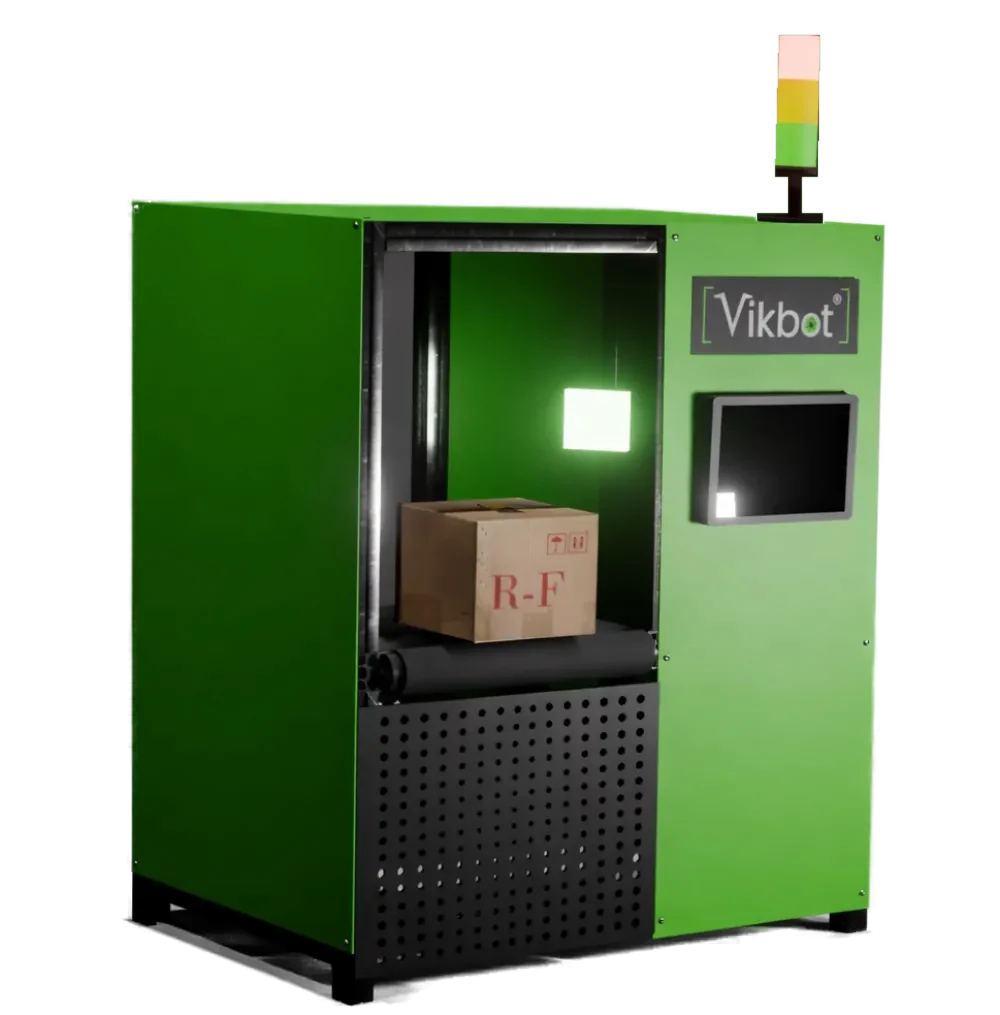
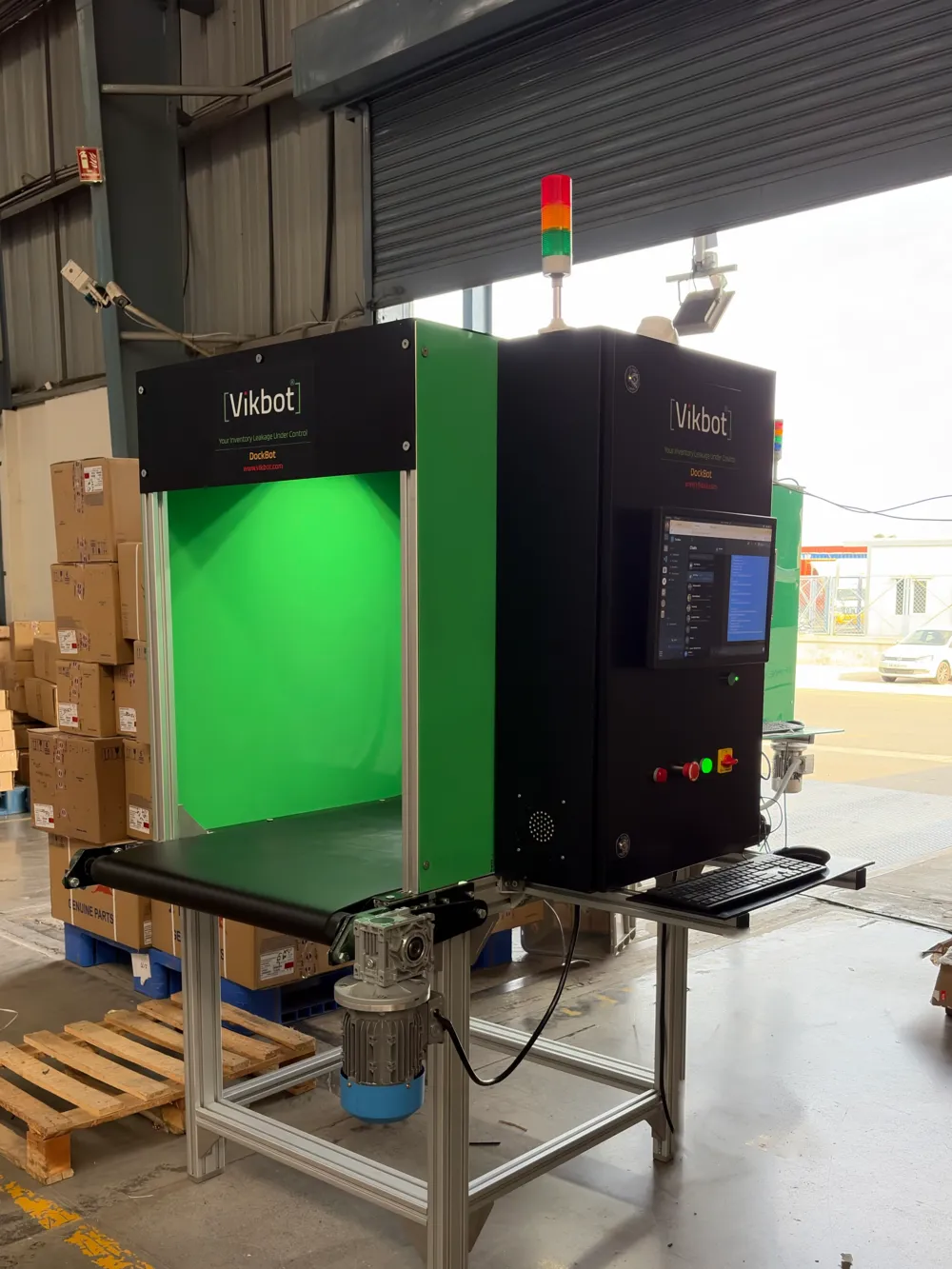
DockBot is installed over a short conveyor at the dock door. Items travel under an AI vision camera on their way to the truck, and each one is identified from its label, packaging and appearance. Nothing is loaded until the system has checked it.
Before loading starts, DockBot receives the invoice or pick list, either from your ERP or WMS or from a simple spreadsheet. As every item passes the camera, it is matched against that list for the right product, the right quantity and the right dispatch order. A green signal means the item can go on the truck. A red signal means it is wrong, short or in excess, and the loader stops before it leaves the dock.
Every dispatch is saved with timestamped photos, item by item. When a customer disputes a shipment, you can show exactly what was loaded and when. DockBot runs on-premises behind your firewall, so video and inventory data stay inside your network.
Benefits
Key Benefits
Stop Revenue Leakage
Prevent costly shipment errors before they impact your bottom line
100% Accuracy
Zero manual verification errors — AI enforces decisions consistently
End-to-End Traceability
Item-level proof from pick to truck with photographic evidence
Easy Integration
Works standalone or seamlessly integrates with your ERP/WMS
Use cases
Where DockBot Fits Best
Manufacturing dispatch bays
Plants shipping many part numbers on the same truck use DockBot to confirm each SKU and quantity against the invoice, so a missing or swapped part is caught at the dock instead of at the customer's gate.
Multi-SKU warehouses
Distribution warehouses with mixed pallets and cartons rely on DockBot where manual tally sheets fail at peak hours. It keeps accuracy steady when volumes spike.
High-value and penalty-prone shipments
For electronics, pharma, spares and contract customers who charge penalties, photo evidence for every dispatch shortens disputes and supports insurance claims.
ROI
Return on Investment
Operational Savings
- Reduce labor dependency by 40-60%
- Eliminate reshipping costs
- Cut penalty and dispute costs
- Faster truck turnaround
Revenue Recovery
- Recover hidden losses from daily errors
- Build customer trust with proof
- Streamline audits & insurance claims
- Payback in 3-6 months
Example: What one dock can save
Illustrative figures only; your numbers will differ. A dock ships 500 orders a day with a 1% dispatch error rate, which is 5 wrong, short or excess shipments every day. If each error costs about ₹4,000 in reshipping, returns handling, penalties and staff time, that is ₹20,000 a day, or roughly ₹5.2 lakh a month over 26 working days. If DockBot prevents most of these errors, it recovers a large part of that figure every month and can pay for itself within 3 to 6 months, before counting the saving on manual checking labor.
Customers have already recovered hidden losses worth crores using DockBot
DockBot works with your existing setup. Start standalone with a spreadsheet of dispatches, then connect to your ERP or WMS. Pair it with CountBot for AI inventory counting and the Fusion Insight for a live AI WMS view across your warehouse automation setup.
FAQ
DockBot frequently asked questions
What is DockBot?
How does DockBot prevent wrong dispatches?
Does DockBot work with our ERP or WMS?
How quickly does DockBot pay for itself?
Is our data secure?
Who is DockBot for?
Ready to Transform Your Dock Operations?
DockBot doesn't just record dispatches — it enforces correctness at the point of loading.